


Why we called it "Guides"
A dashboard is something you glance at. A snapshot is a moment in time. But a guide has a job. It's useful, it's intentional, it meets you where you are and shows you what matters.
You don't give every client the same advice. You shouldn't present it the same way either. Until now, most financial planning tools showed all of them the same dashboard. Guides changes that.
You don't give every client the same advice. You shouldn't present it the same way either.
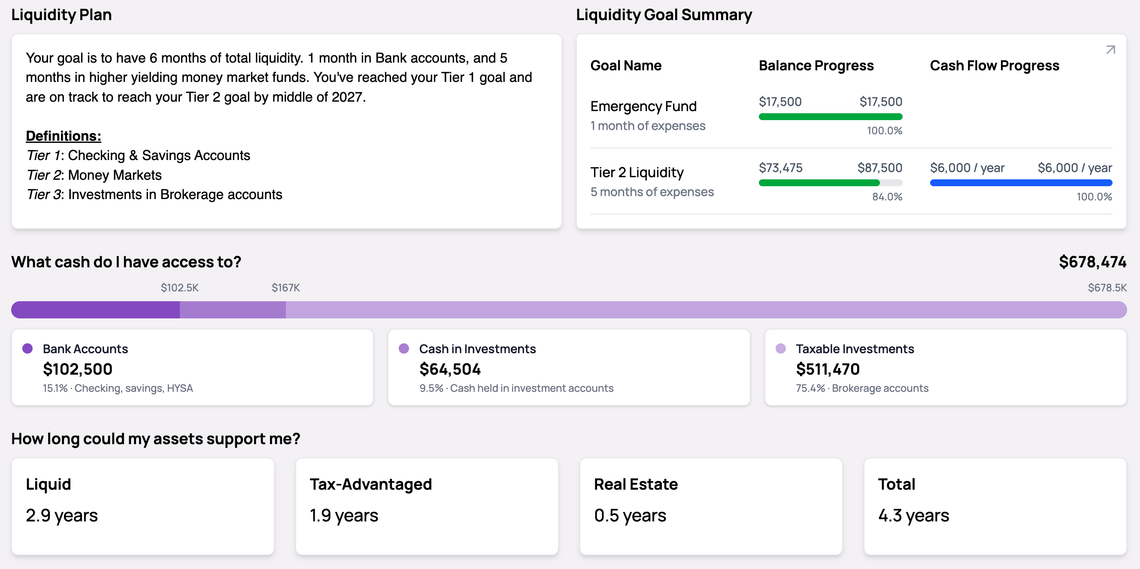
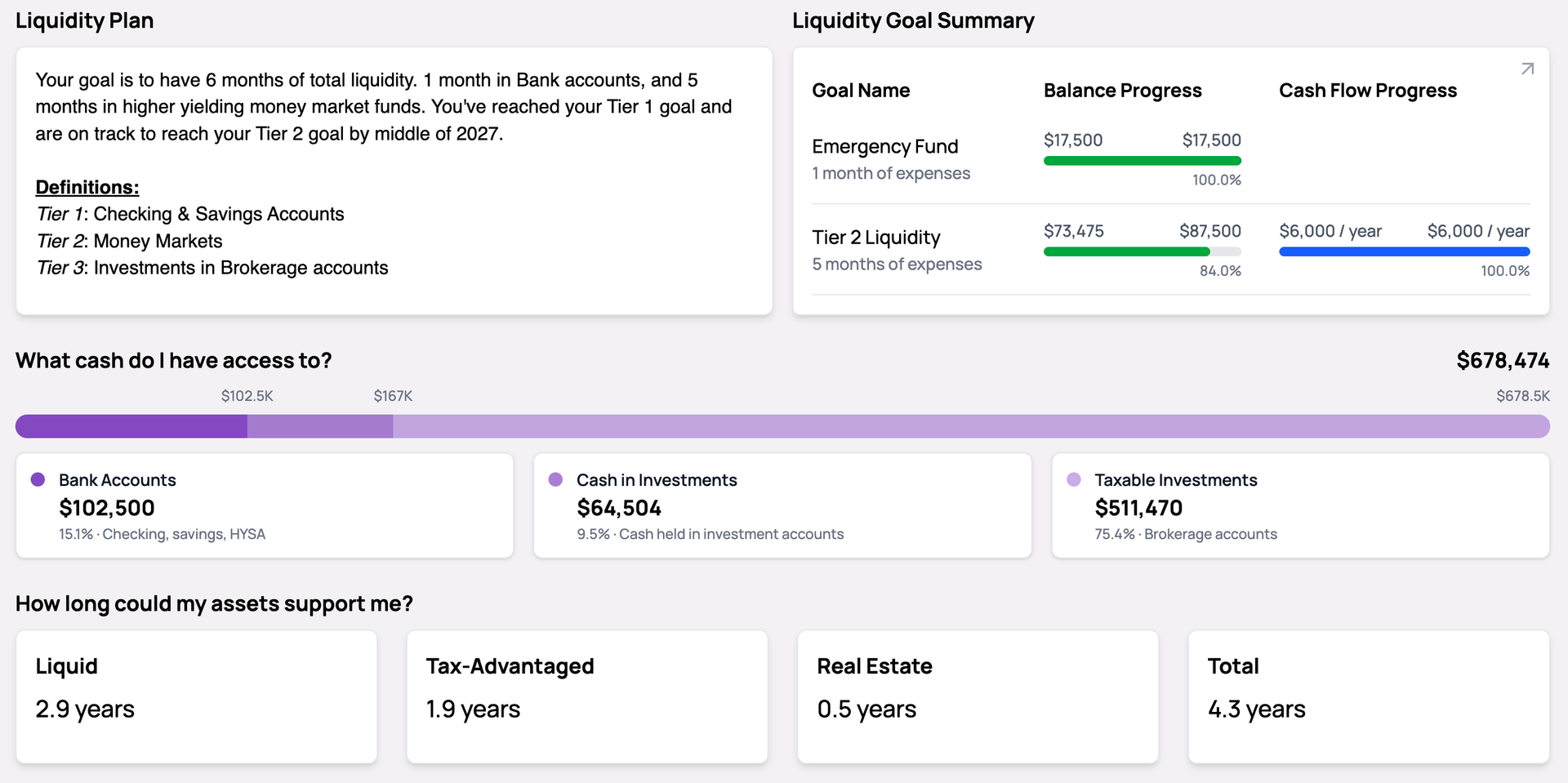
A young couple focused on paying off debt needs to see their cash flow and savings progress front and center. A pre-retiree wants to see insurance coverage, asset runway, and estate planning status. A high-net-worth client reviewing their portfolio wants investment breakdowns and tax allocation.
Until now, most financial planning tools showed all of them the same dashboard. Guides changes that.
Guides are customizable dashboard templates that let you design a different financial view for every client household. You choose which components to include, arrange them in the order that fits the conversation, and control what each client can see — all without building something new from scratch every time.
The result: when your client logs in or sits down in a meeting, they see a clean, curated view of their financial picture — not a generic overview with sections that don't apply to them.
Over 20 components are available, covering the full planning spectrum — net worth, income and cash flow, goal tracking, investments, insurance, estate planning, balance sheet metrics, tasks, and action items. But the point isn't to show all of them. It's to show the right ones.
A few examples of how this plays out:
You're not just organizing data. You're shaping how each client experiences their plan.
This is where Guides saves you real time:
One template can serve dozens of clients. Each one sees something built for them.
From your client's perspective, Guides feels simple:
When a client opens Kerdora, they should feel like the tool was built for them. Guides makes that possible.
Setting this up isn't a project. It's a few minutes:
When you're ready to share, hit print:
A branded PDF, ready to hand across the table or attach to a follow-up — no PowerPoint, no formatting.
Guides is available now for all Kerdora users. Open any client household, select the Guides tab, and start building your first template.
For a complete walkthrough of every component and setting, visit our help center guide. Not a Kerdora user yet? Book a demo to see how Guides can work for your practice.
Subscribe to my newsletter to get the latest updates and news

Member discussion